Catch the 80-hour week before you approve it.Your group stops asking who is on tonight.
Pagerflow flags an ACGME breach as the swap comes up for approval, for the residents and fellows those limits cover, straight from the Excel workbook you already keep.Everyone reads one live schedule instead, on the web and on the phone calendar each clinician already checks.
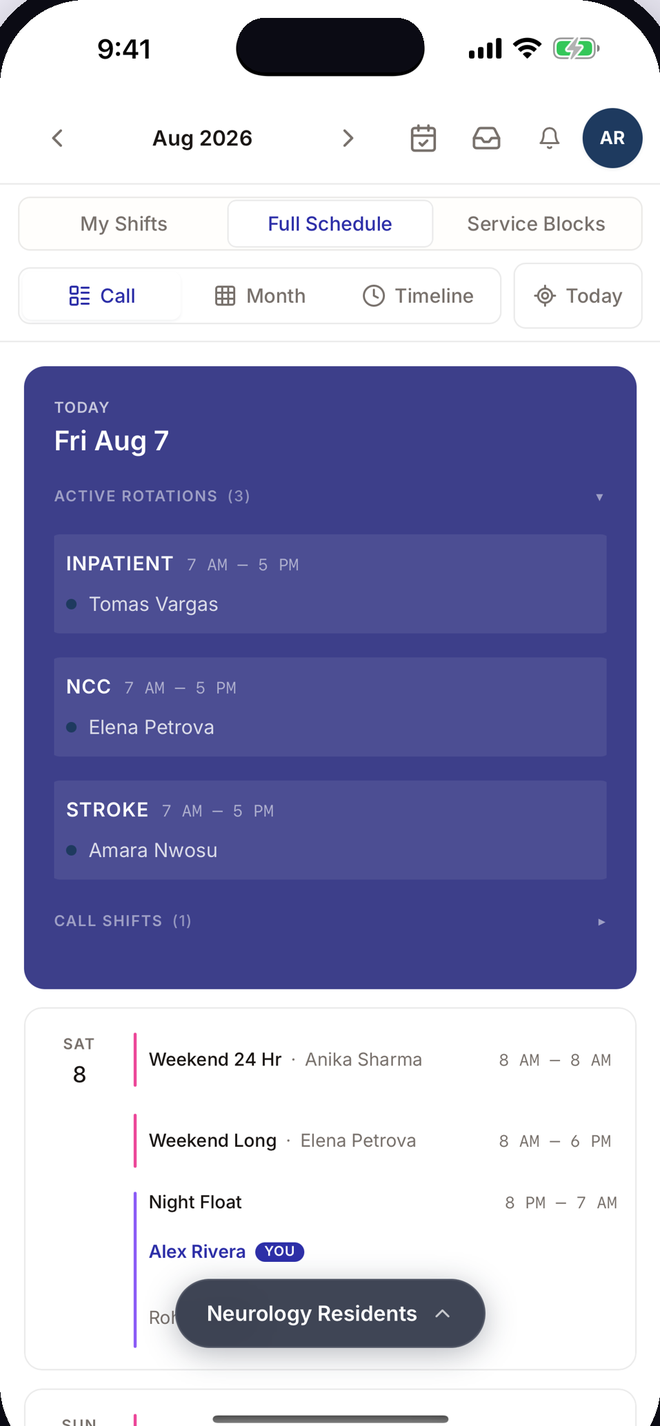
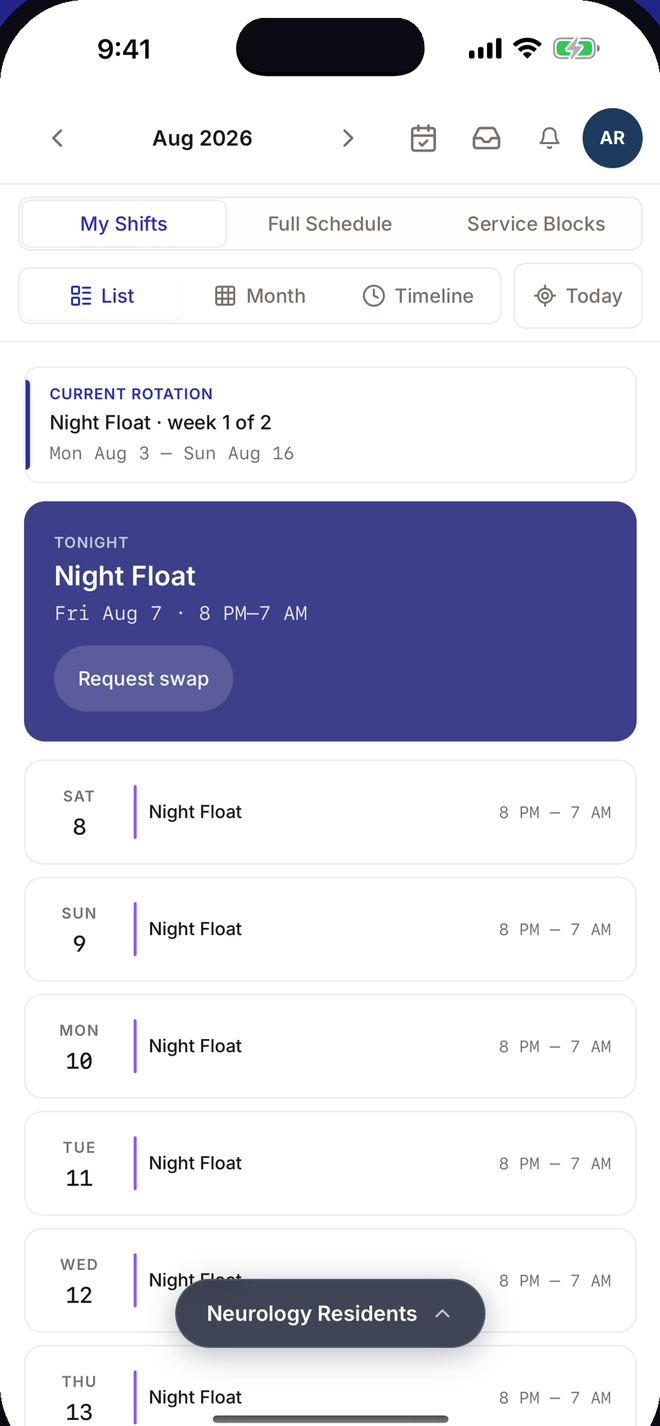
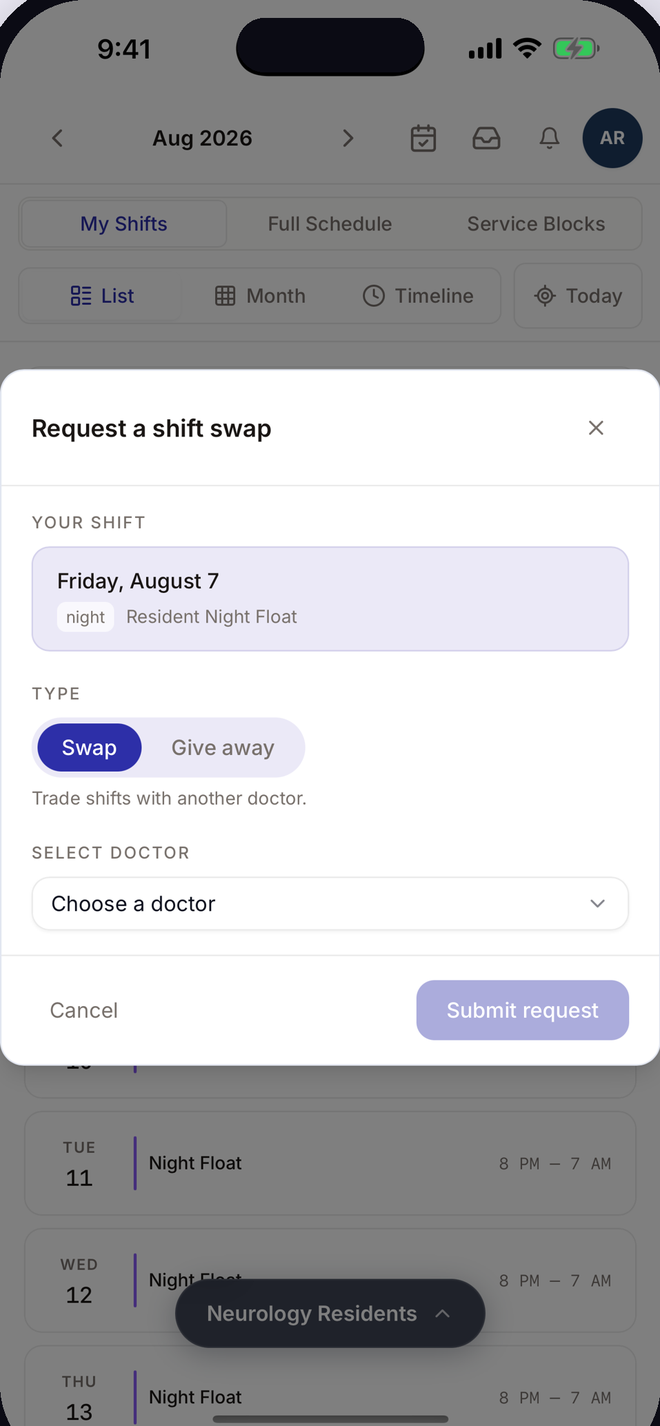
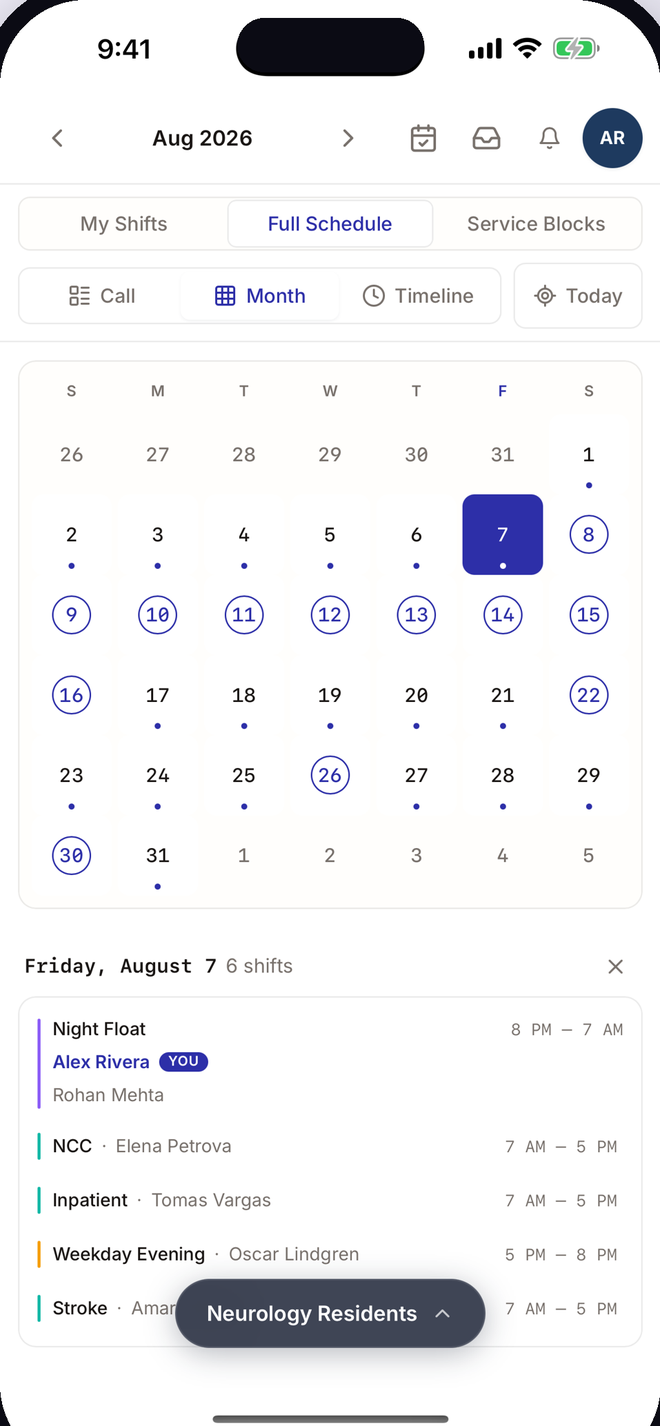
Your whole program, on one live schedule.
Your whole department, on one live schedule.
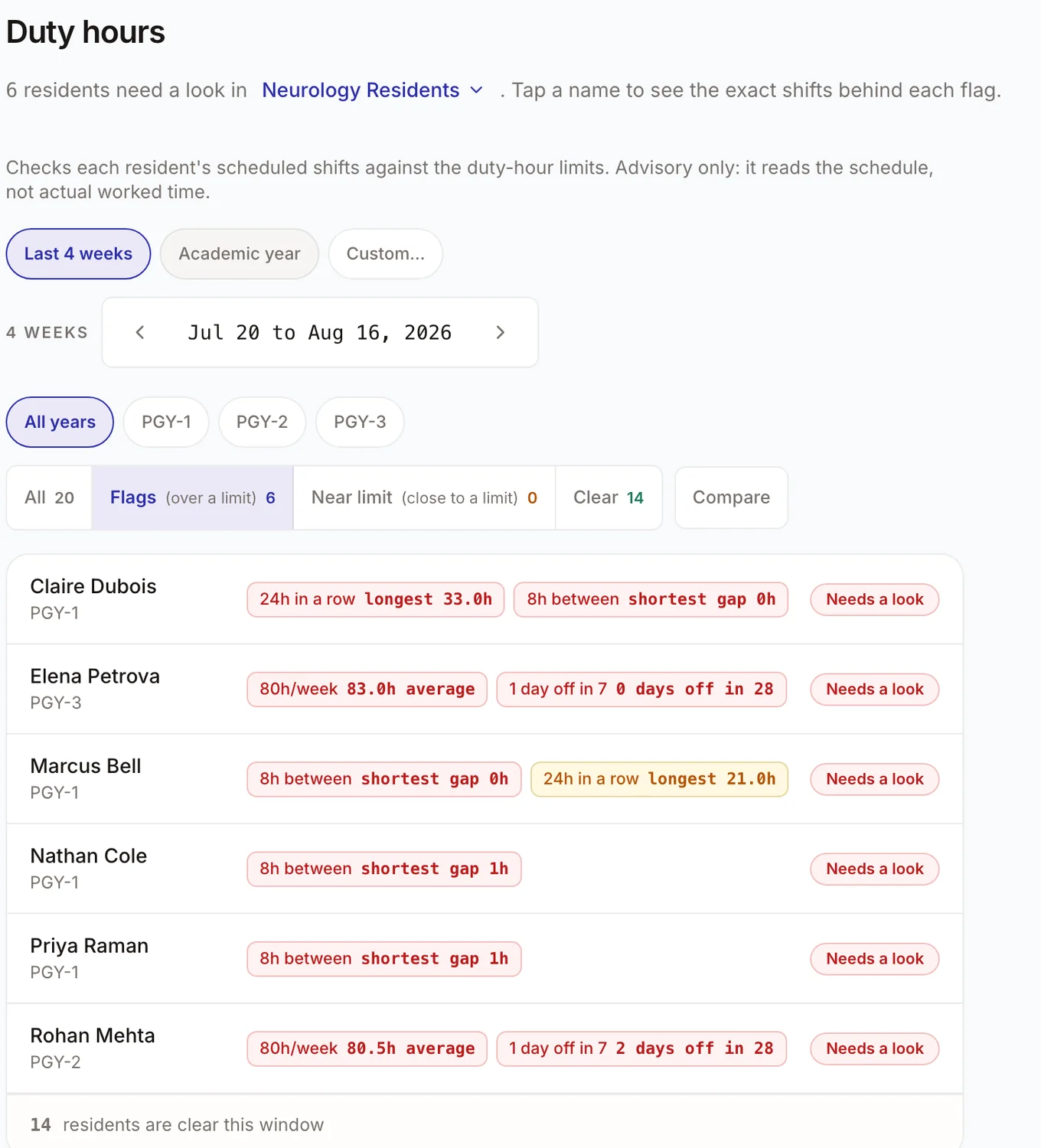
Residents, fellows and attendings read the same schedule, across every rotation and service, with ACGME duty-hour limits watched for the residents and fellows they apply to.
Everyone in your group reads the same schedule, across every service and every call line, and it updates the moment a swap is approved.
Open the real thing on your phone.Open the real thing, right now.
Northbrook General is a working Pagerflow hospital we keep for demos: invented doctors, a full call schedule, nothing real. Scan the code, then sign in with PIN 4827. The doctor app is built for a phone. That is where your team will open it every day.Sign in with PIN 4827. No signup, nothing to install.
Or open it on this screen insteadReal screens from the app, not mock-ups. Open the live demo and you are looking at the same hospital. When you are ready, send your own workbook and the same screens come back with your names on them.
The hours come from the calendar, not from memory.
The schedule stops being a rumor.
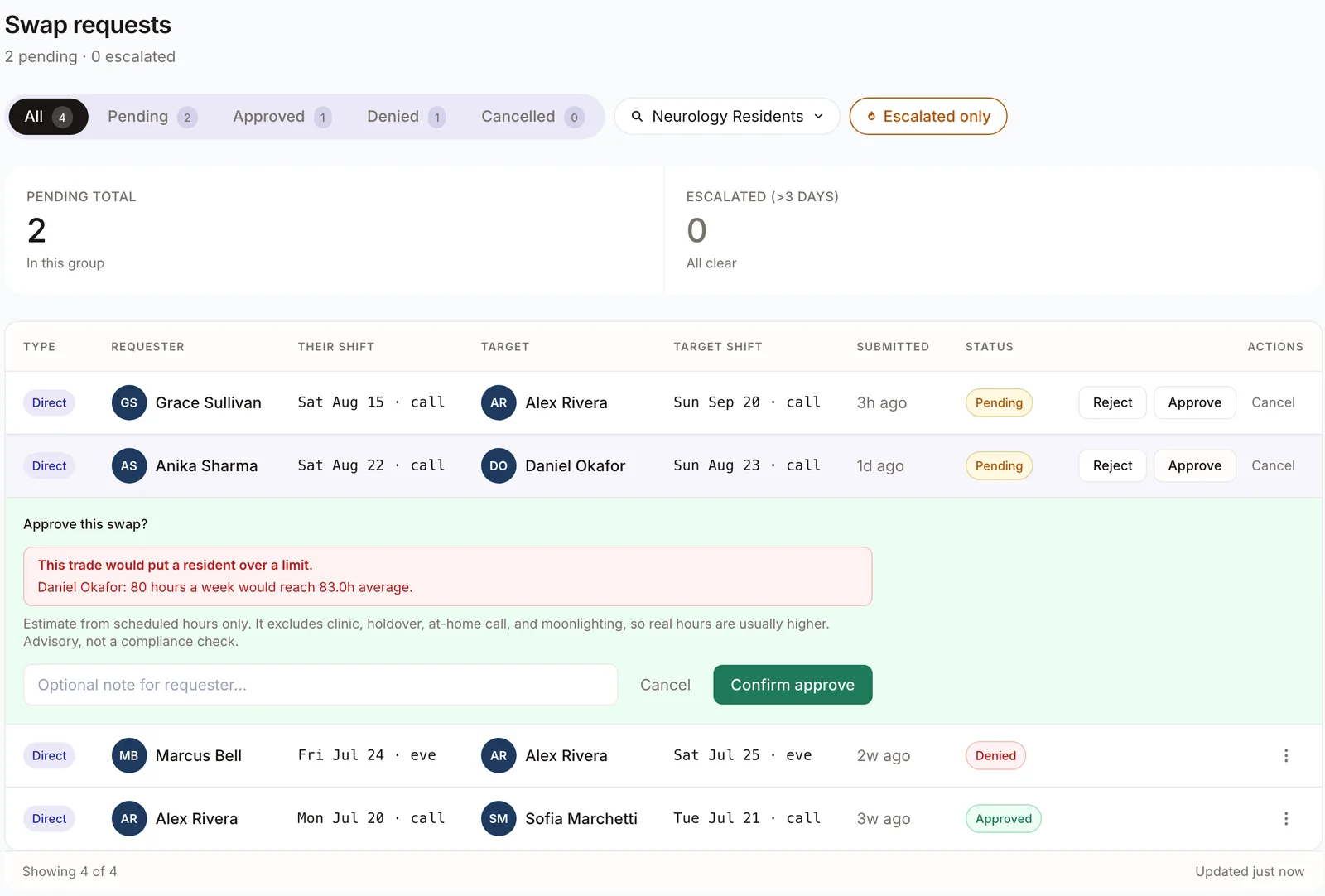
Every program has felt it: a swap gets approved on a Tuesday, and three weeks later the hours do not add up. Pagerflow reads the hours from the schedule itself, not from what anyone types in later. If a trade would push a resident or fellow past an ACGME limit, the chief sees the warning at the moment of approval, while there is still time to decline.
Every group has felt it: a trade gets agreed on the fly, someone updates their own copy, and on the day nobody is sure who is actually on. Pagerflow keeps one live schedule the whole group reads, so on the day there is one answer to who is on, and it is the current one. Every approved trade moves in full, and every change lands on a record you can download when someone asks what happened.
The parts that make it stick.
The one app your doctors actually open.
A missed shift usually starts with a doctor who never opened the schedule. This is the one they open: a PIN and they are in, no account to make, no ad, and it still works when the hospital wifi does not. Their own shifts, who is on call, and who is on backup, in one place they will actually check.
Everyone sees what they need, nothing they don’t.
You decide who sees which schedule. Give one service a window into another’s call schedule where that helps, keep everything else private, and hand the front desk a read-only account.
You keep the workbook. We do the rest.
Pagerflow reads the Excel file your scheduler already builds and knows that “JR” means Raman. Merged cells, a tab per month, initials, color coding: send it exactly as it is. We have read worse. What comes back is a live schedule your doctors read on their phones, and a record of every change from day one.
Sized for the team that schedules itself.
Built for residency, fellowship, department, and group scheduling, without the enterprise weight you have to grow into. Each one below closes a way the spreadsheet-and-email version goes wrong, and everything is live today.
Stop rebuilding the schedule every July.
The new chief opens Pagerflow and finds your rules, your shorthand, and every change already there. Nobody starts July from a blank spreadsheet.
The schedule survives the person who built it.
Whoever takes it over opens Pagerflow and finds the rules, the shorthand, and every change already there. Nobody starts from a blank spreadsheet.
Know what changed without holding two spreadsheets up against each other.
Every time you upload a new version, Pagerflow shows exactly what moved, who got added, and who came off.
End the “you gave me more weekends” argument.
Pull the two of them up side by side on the tally and let the record answer. You stop being the one who has to defend every decision in a hallway.
Never end up with half a swap.
The worst swap is the one that half-worked: one name changed, the other didn’t, and nobody found out until the shift sat empty. In Pagerflow a trade moves both people together or not at all.
An answer for “who’s covering if someone drops.”
When someone calls out sick, the backup list is already on the schedule. You read one line instead of working a phone tree taped to the workroom wall.
A clean paper trail when someone asks.
When someone asks what changed and when, you don’t go digging through eight months of email. Pick the date range, download the Word file, hand it over.
Clinic, ICU, and nights stop being three different spreadsheets.
Each service keeps its own people and its own shorthand, and you stop stitching them together by hand every time someone asks a simple question.
Nobody works a shift they didn’t know moved.
When a posted schedule changes, the doctors whose shifts moved are told in the app, so an approved swap never turns into a no-show at 6am.
You can see the price before you talk to anyone.
No quote, no discovery call, no “contact us for pricing.”
One hospital runs its schedule on Pagerflow today. Northbrook General in the demo is invented, so you can look around freely.
Up to 50 people on that schedule. Billed once a year.
- Setup included. Send the workbook you already keep and we build it out for you. No implementation fee.
- First 60 days free. Long enough to publish a schedule, run a few trades, and see whether it stuck.
- No card up front. The first invoice comes after the 60 days, not before.
Made for the chief, the coordinator, and the PD.
Made for the chair, the manager, and whoever got handed the schedule.
The chief who inherits the schedule every July. The coordinator who fields every swap and every “am I really working that weekend.” The program director who has to stand behind the hours. Pagerflow gives all three one schedule they can each trust, and gives residents, fellows, and attendings an app they will actually open.
The physician who ended up owning the schedule on top of a full clinical load. The manager who fields every swap request and every “am I really on that weekend.” The chair or medical director who has to know the department is covered. Pagerflow gives all three one schedule they can each trust, and gives everyone else an app they will actually open.
The schedule stays yours.
You decide who works. Every name on the schedule is one you put there. Pagerflow keeps that decision honest, moves trades cleanly, and shows exactly what changed.
Pagerflow checks the hours before anyone works them. When a trade comes up for approval it is checked against the limits first, so a problem shows up while changing it is still free.
Bring the workbook you already have.
Send us the Excel file your scheduler already builds and we will show you your own schedule live in Pagerflow. You send one file. We do the rest.